Tuesday, 11 June 2019

Card readers at electric vehicle charging stations will weaken security, researchers say

Electric vehicle charging stations could become one of the next big targets for fraudsters — thanks to proposals in several state that researchers say would weaken their security.

Most electric vehicle (EV) charging stations rely solely on a credit card linked to an app or through contactless payments with RFID-enabled credit cards or through a driver’s smartphone. Contactless payments are one of the most secure ways to pay, cutting out the credit card entirely and reducing the chance that a card will be cloned or have its data skimmed. For charging stations — often in the middle of nowhere and unmonitored — relying on contactless payments can reduce device tampering and credit card fraud.

But several states are proposing EV charging stations install magnetic stripe credit card readers, which the researchers are prone to abuse by fraudsters.

Arizona, California, Nevada, Vermont, and several states across New England are said to be considering installing credit card readers at publicly funded EV charging stations.

“While these proposals may be well-intentioned, they could expose drivers to new security risks while providing cyber criminals with easy access to attractive targets,” wrote security researchers April Wright and Jayson Street, in a paper out Monday by the Digital Citizens Alliance, a nonprofit consumer group.

Instead, they say EV charging stations and other point-of-sale machines should continue to rely on contactless payment methods and lawmakers “should engage with the security community to better understand fraud risks associated with credit card readers.”

“These proposals would effectively reverse the industry’s careful considerations regarding EV charger payment options,” said the researchers.

Much of the issues fall on the continued reliance of magnetic stripe cards, which remains one of the most common payment methods in the U.S.

Where other nations, including the U.K. and most of Europe, have adopted chip-and-PIN as the primary way of paying for goods and services, the U.S. still relies on the insecure magnetic stripe. Hackers can easily skim the data off the credit card and repurpose a stolen magnetic stripe to commit fraud. Although chip-and-PIN is more secure than the magnetic stripe, card fraud remains a risk until chip-and-PIN becomes the primary method for making payments. Even with chip-enabled cards, fraudsters can still steal payment card numbers and card verification codes by using hidden pinhole cameras.

Credit card skimming is said to be a $2 billion industry.

Using mobile contactless payments, like Apple Pay or Google Pay, would largely render the risk from card skimming almost entirely moot, they say.

Until more secure options are used, the introduction of magnetic stripe readers at EV chargers “would represent an unnecessary risk” to drivers.


from Apple – TechCrunch https://tcrn.ch/2R1u66g

Monday, 10 June 2019

Apple is making corporate ‘BYOD’ programs less invasive to user privacy

When people bring their own devices to work or school, they don’t want I.T. administrators to manage the entire device. But until now, Apple only offered two ways for I.T. to manage its iOS devices: either device enrollments, which offered device-wide management capabilities to admins or those same device management capabilities combined with an automated setup process. At Apple’s Worldwide Developer Conference last week, the company announced plans to introduce a third method: user enrollments.

This new MDM (mobile device management) enrollment option is meant to better balance the needs of I.T. to protect sensitive corporate data and manage the software and settings available to users, while at the same time allowing users’ private personal data to remain separate from I.T. oversight.

According to Apple, when both users’ and I.T.’s needs are in balance, users are more likely to accept a corporate “bring your own device” or BYOD program — something that can ultimately save the business money that doesn’t have to be invested in hardware purchases.

The new user enrollments option for MDM has three components: a managed Apple ID that sits alongside the personal ID; cryptographic separation of personal and work data; and a limited set of device-wide management capabilities for I.T.

The managed Apple ID will be the user’s work identity on the device, and is created by the admin in either Apple School Manager or Apple Business Manager — depending on whether this is for a school or a business. The user signs into the managed Apple ID during the enrollment process.

From that point forward until the enrollment ends, the company’s managed apps and accounts will use the managed Apple ID’s iCloud account.

Meanwhile, the user’s personal apps and accounts will use the personal Apple ID’s iCloud account, if one is signed into the device.

Third-party apps are then either used in managed or unmanaged modes.

That means users won’t be able to change modes or run the apps in both modes at the same time. However, some of the built-in apps like Notes will be account-based, meaning the app will use the appropriate Apple ID — either the managed one or personal — depending on which account they’re operating on at the time.

To separate work data from personal, iOS will create a managed APFS volume at the time of the enrollment. The volume uses separate cryptographic keys which are destroyed along with the volume itself when the enrollment period ends. (iOS had always removed the managed data when the enrollment ends, but this is a cryptographic backstop just in case anything were to go wrong during unenrollment, the company explained.)

The managed volume will host the local data stored by any managed third-party apps along with the managed data from the Notes app. It will also house a managed keychain that stores secure items like passwords and certificates; the authentication credentials for managed accounts; and mail attachments and full email bodies.

The system volume does host a central database for mail, including some metadata and five line previews, but this is removed as well when the enrollment ends.

Users’ personal apps and their data can’t be managed by the I.T. admin, so they’re never at risk of having their data read or erased.

And unlike device enrollments, user enrollments don’t provide a UDID or any other persistent identifier to the admin. Instead, it creates a new identifier called the “enrollment ID.” This identifier is used in communication with the MDM server for all communications and is destroyed when enrollment ends.

Apple also noted that one of the big reasons users fear corporate BYOD programs is because they think the I.T. admin will erase their entire device when the enrollment ends — including their personal apps and data.

To address this concern, the MDM queries can only return the managed results.

In practice, that means I.T. can’t even find out what personal apps are installed on the device — something that can feel like an invasion of privacy to end users. (This feature will be offered for device enrollments, too.) And because I.T. doesn’t know what personal apps are installed, it also can’t restrict certain apps’ use.

User enrollments will also not support the “erase device” command — and they don’t have to, because I.T. will know the sensitive data and emails are gone. There’s no need for a full device wipe.

Similarly, the Exchange Server can’t send its remote wipe command — just the account only remote wipe to remove the managed data.

Another new feature related to user enrollments is how traffic for managed accounts is guided through the corporate VPN. Using the per-app VPN feature, traffic from the Mail, Contacts, and Calendars built-in apps will only go through the VPN if the domains match that of the business. For example, mail.acme.com can pass through the VPN, but not mail.aol.com. In other words, the user’s personal mail remains private.

This addresses what has been an ongoing concern about how some MDM solutions operate — routing traffic through a corporate proxy meant the business could see the employees’ personal emails, social networking accounts, and other private information.

User enrollments also only enforces a 6-digit non-simple passcode, as the MDM server can’t help users by clearing the past code if the user forgets it.

Some today advise users to not accept BYOD MDM policies because of the impact to personal privacy. While a business has every right to manage and wipe its own apps and data, I.T. has overstepped with some of its remote management capabilities — including its ability to erase entire devices, access personal data, track a phone’s location, restrict personal use of apps, and more.

Apple’s MDM policies haven’t included GPS tracking, however, and nor does this new option.

Apple’s new policy is a step towards a better balance of concerns but will require that users understand the nuances of these more technical details — which they may not.

That user education will come down to the businesses who insist on these MDM policies to begin with — they will need to establish their own documentation, explainers, and establish new privacy policies with their employees that detail what sort of data they can and cannot access, as well as what sort of control they have over corporate devices.


from Apple – TechCrunch https://tcrn.ch/2wNBXeG

What top VCs look for in women’s fertility startups

A number of promising women’s health tech companies have popped up in the last few years, from fertility apps to ovulation bracelets — even Apple has jumped into the subject with the addition of period tracking built into the latest edition of the watch. But there hasn’t been much in the way of innovation in women’s sexual health for decades.

In-vitro fertilization (IVF) is now a 40-year-old invention and even the top pharmaceutical companies have spent a pittance on research and development. Subjects like polycystic ovarian syndrome, endometriosis and menopause have taken a backseat to other, more fatal concerns. Fertility is itself oftentimes a mysterious black box as well, though a full 10% of the female population in the United States has difficulty getting or staying pregnant.

That’s all starting to change as startups are now bringing in millions in venture capital to gather and treat women’s health. While it’s early days (no unicorns just yet) interest in the subject has been jumping steadily higher each year.

To shine a better light on the importance of tech’s role in spurring more innovation for women’s fertility, we asked five VCs passionate about the space for their investment strategies, including Sarah Cone (Social Impact Capital), Vanessa Larco (NEA), Anu Duggal (Female Founders Fund), Jess Lee (Sequoia) and Nancy Brown (Oak HC/FT).

Sarah Cone, Social Impact Capital

Sarah Cone, Social Impact Capital

We’re interested in companies that create large data sets in women’s health and fertility, enabling personalized medicine, clinical trial virtualization, better patient outcomes, and the application of modern AI/ML techniques to generate hypotheses that discover new targets and molecules.


from Apple – TechCrunch https://tcrn.ch/2MExq99

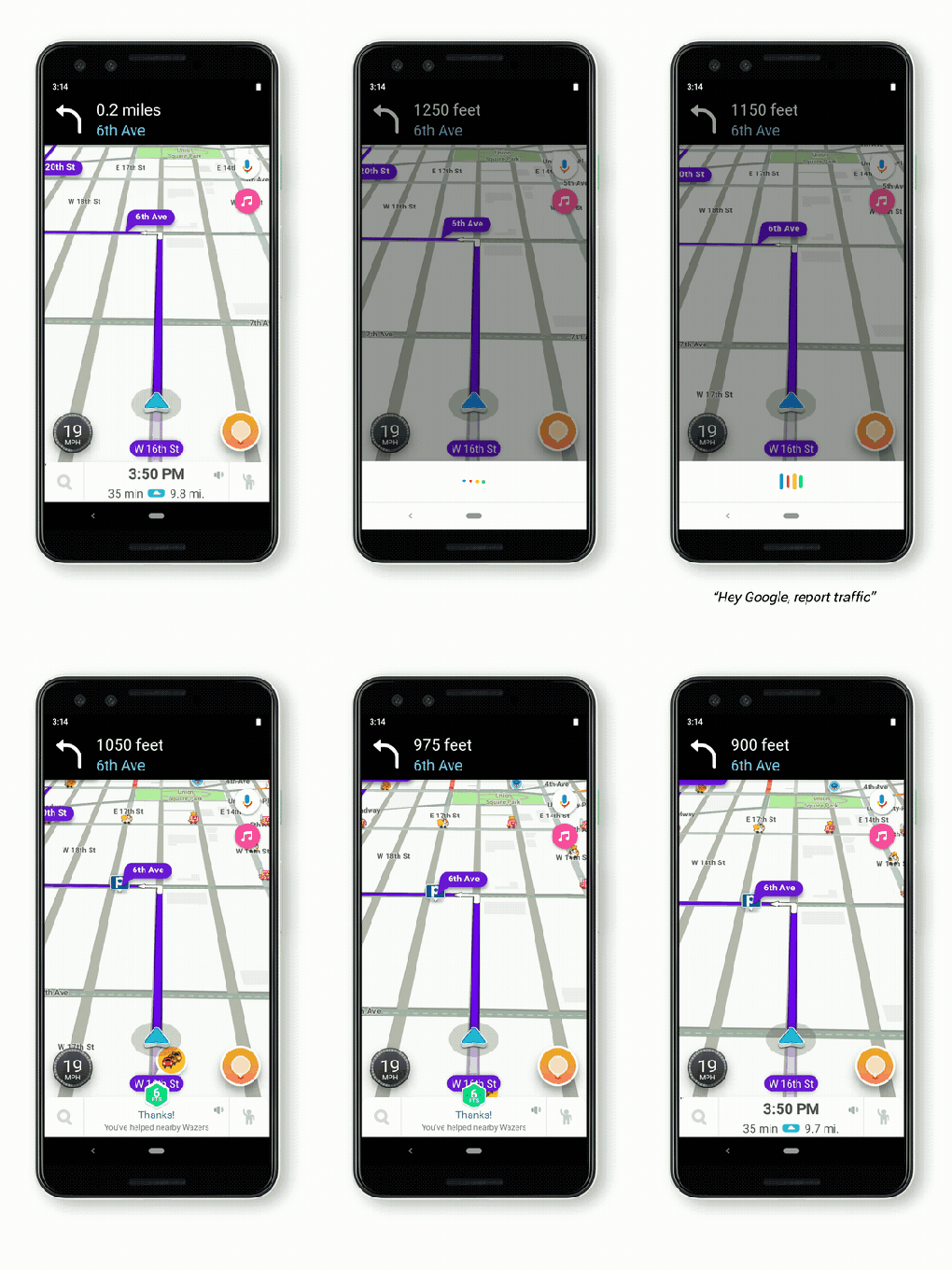
Google Assistant comes to Waze navigation app

Ever since Google acquired Waze back in 2013, features from each have been slowly making their way back and forth between it and Google Maps – and today Waze gets a big upgrade with Google Assistant integration, which means you can use the smart voice companion within the app.

Google Assistant in Waze will provide access to your usual Assistant features, like playback of music and podcasts, but it’ll also offer access to many Waze-specific abilities, including letting you asking it to report traffic conditions, or specifying that you want to avoid tolls when routing to your destination.

Google has done a good job of rolling out support for Assistant in its own Android Auto in-car software, and even brought it to Google Maps on Apple’s competing CarPlay system earlier this year. The benefits of having Assistant work natively within Waze are many, but the number one might be its potential to reduce distractions while on the road.

Waze remains a top choice among drivers, and anecdotally most Uber and Lyft drivers I encounter still swear by its supremacy over the competition, including Google’s other own-branded Maps solution.

Google Assistant will be available via a roll-out starting today in the U.S., in English only to start and on Android smartphones. Expect that availability to expand over time.


from Android – TechCrunch https://tcrn.ch/2K8pvPa
via IFTTT

Sunday, 9 June 2019

Apple puts accessibility features front and center

Although the meat of Apple’s accessibility news from WWDC has been covered, there still are other items announced that have relevancy to accessibility as well. Here, then, are some thoughts on Apple’s less-headlining announcements that I believe are most interesting from a disability point of view.

Accessibility goes above the fold

One of the tidbits I reported during the week was that Apple moved the Accessibility menu (on iOS 13 and iPadOS) to the top level of the Settings hierarchy. Instead of drilling down to Settings > General > Accessibility, the accessibility settings are now a “top level domain,” in the same list view as Notifications, Screen Time, and so on. Apple also told me this move applies to watchOS 6 as well.

Similarly, Apple said they’ve added accessibility to the first-run “setup buddy” experience. When someone sets up a new iPhone or other device for the first time, the system will prompt them to configure any desired accessibility features such as VoiceOver.

Both changes are long overdue and especially important symbolically. While it may not affect the average user much, if at all, the fact Apple is making this move speaks volumes about how much they care for the accessibility community. By moving Accessibility to the front page in Settings, it gives disabled users (and by extension, accessibility) just a bit more awareness.

As a disabled person myself, this is not insignificant. This change reinforces Apple’s position as the leader in the industry when it comes to making accessibility a first-class citizen; by elevating it to the top level, Apple is sending the message that accessibility is a critical aspect of the operating system, and a critical part of the user experience for so many, myself included.

Handoff for HomePod

I enjoy my HomePod for listening to music, podcasts, and controlling our HomeKit devices. Until now, however, one of the biggest annoyances with HomePod has been the inability to pick up where I left off. If I come home from the supermarket listening to music or a podcast and want to keep going, I have to stop and change the output source to my office’s HomePod. It’s not difficult to do, but from an accessibility perspective it’s a lot of extra taps. I definitely feel that bit of friction, and curse the dance every time I have to go through the rigamarole.

With iOS 13, that friction goes away. All I need to do is place my iPhone XR close to the HomePod (as if I were setting it up) and the iPhone will “hand off” whatever audio is playing to the speaker. Again, changing source is not a huge deal in the grand scheme of things, but as a disabled person I’m attuned to even the slightest inconveniences. Likewise with the ability to hear incoming iMessages read aloud to you on AirPods, these little refinements go a long way in not only having a more enjoyable, more seamless experience—it makes the experience more accessible, too. In this sense, this technology is magical in more ways than one.

The victory of Voice Control

The addition of Voice Control is definitely a headliner, but the backstory to it certainly isn’t.

Everyone I’ve spoken to during the week, whether it be fellow reporters, developers or Apple employees, shared the same sentiment: Voice Control is so great. In fact, the segment of John Gruber’s live episode of his podcast, The Talk Show, where he and special guests Craig Federighi and Greg Joswiak discussed the feature is a perfect example. It totally meshes with what I was told. Federighi explained how he had “friggin’ tears in my eyes” after watching an internal demo from somebody on Apple’s accessibility team.

Similarly, it was a hot topic of conversation at the accessibility get-together at the conference. So many of the engineers and other members of Apple’s accessibility group shared with me how proud they are that Voice Control exists. I’ve heard that its development was a considerable undertaking, and for everyone involved to see it released to the world—in beta for now, at least—is thrilling and affirming of the hard road the team took to get here.

At a high level, Voice Control strikes me as emblematic of Apple’s work in accessibility. Just watch the video:

It feels impossible, magical—but it’s entirely real. And the best part is this is a game-changing feature that will enhance the experience of so many, so immensely. Federighi was not wrong to cry; it’s amazing stuff.


from Apple – TechCrunch https://tcrn.ch/2MAD6AN

Friday, 7 June 2019

The makers of Duet Display and Luna on life after Apple’s Sidecar

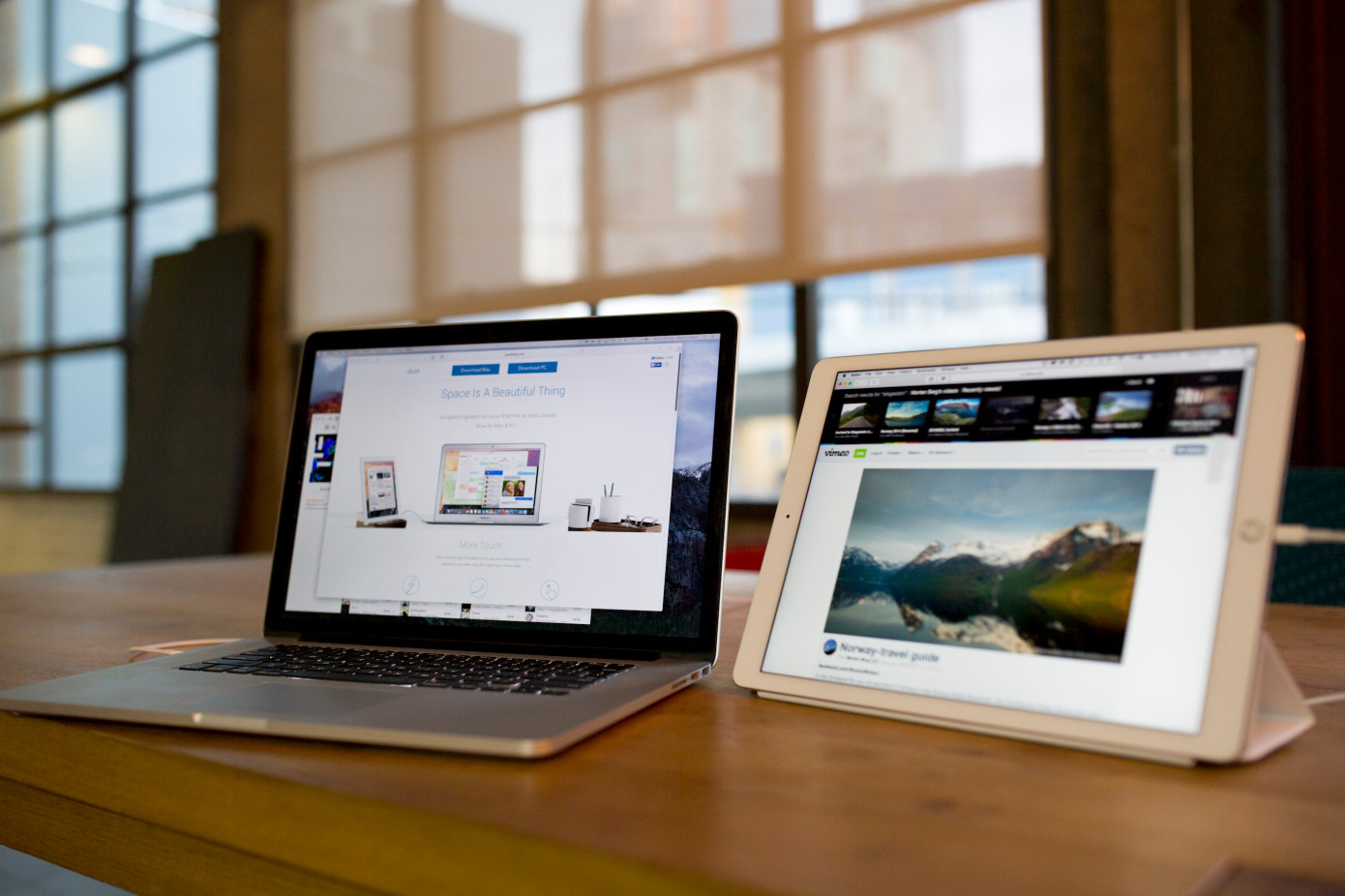
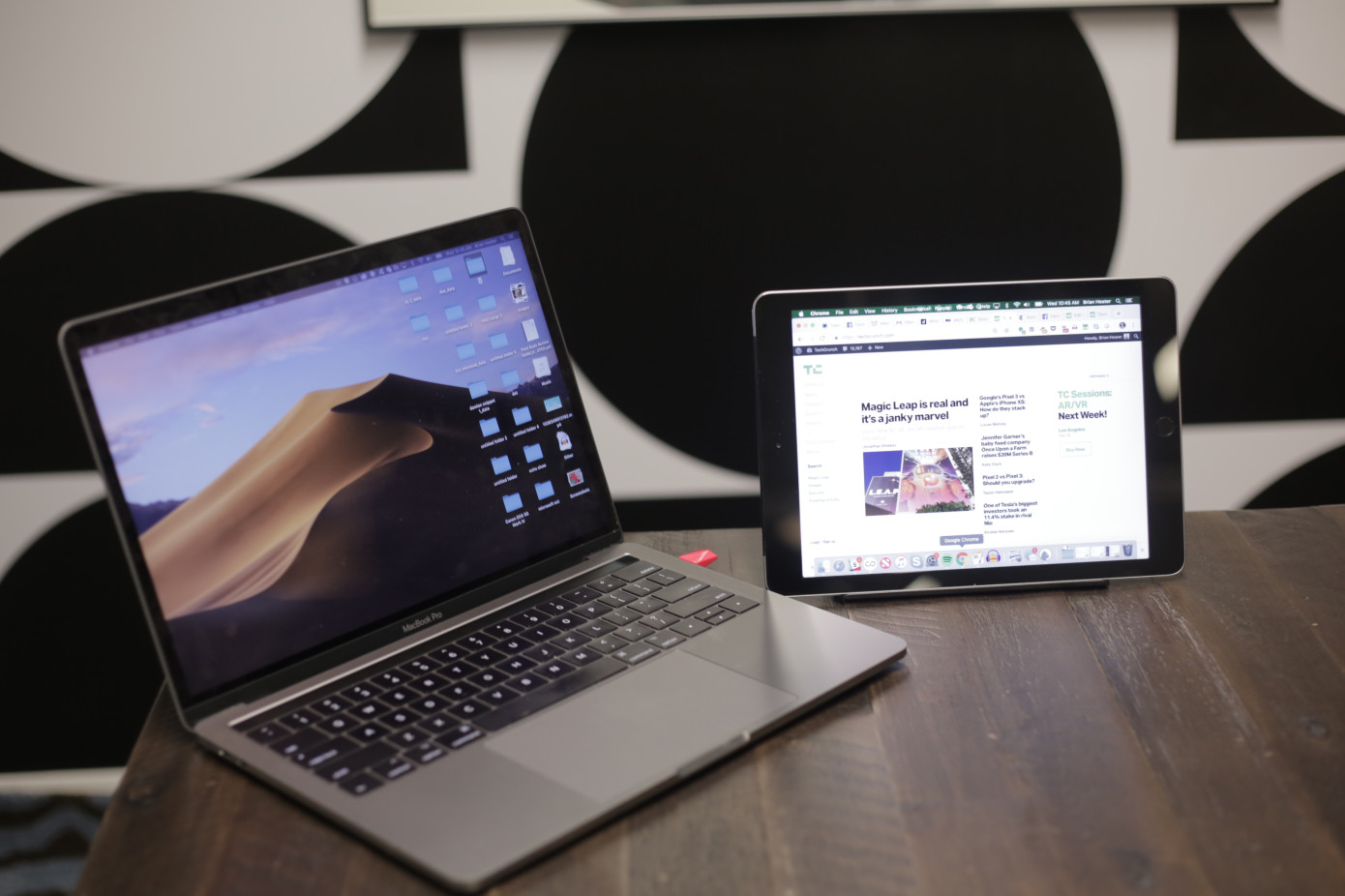
Of all of the WWDC announcements this week, Sidecar got me the most excited. I’m on the road a lot these days, and apps like Duet and Luna have been lifesavers. They’ve afforded me the ability to carry around a reasonably sized laptop, with an optional second screen in the form of the iPad.

Both products have their respective strengths, but I’m very interested in seeing how native second display support for iPad plays out, and I’m sure I’m not alone among their current customers. Having already demoed the macOS Catalina feature a few times at the event this week, I’m pretty impressed with the implementation.

The latency is barely perceptible, and the array of features with the Apple pencil is impressive. The iPad Pro was wired in the demos, due to the oversaturated nature of wireless technology at these sorts of shows, but the combination Bluetooth/wireless feature allows users to go unplugged as well — certainly a useful thing when setting up at coffee shops and the like, which I often am when traveling.

Those who’ve offered secondary display technologies have no doubt seen the writing on the wall for a while now — well before rumors of Sidecar’s arrival began swirling in recent weeks. Even so, the arrival of native support could prove detrimental — or potential even fatal for those who’ve staked their claim on these sorts of clever work arounds.

It’s a phenomenon we’ve seen played out nearly every time there’s a new version of an Apple operating system, from Konfabulator with Dashboard to Moment with Screen Time. In fact, it’s a phenomenon that happens so frequently, it’s commonly as “Sherlocking,” a reference to Watson, a search app that was effectively kneecapped by Apple’s Sherlock and later Spotlight. Producing a third-party work around for existing functionality in someone else’s ecosystem is a tough road to hoe.

“I knew that this was something that could happen at any point, that’s something I would have expected from day one,” Duet Founder and CEO Rahul Dewan told TechCrunch. “I don’t think there was a ton of surprise. It’s really just confirmation. We’ve been a top 10 iPad app for five years in a row. I think we basically proved the market.”

Matt Ronge, CEO of Luna maker Astro HQ was less enthusiastic in his assessment of this week’s news. “We are frustrated with the way Apple has treated their third-party developers,” he said in statement offered to TechCrunch. Ronge says Apple initially expressed support for the project and even asked Luna to demo the product, but the relationship ultimately never advanced far beyond that. We’ve reached out to Apple about the specifics of the meetings.

The news has left both Duet and Astro reassessing their respective value propositions. Apple is certainly pitching the product toward creative professionals, as evidenced by the demos at the event, which largely revolved around the use of Apple Pencil for things like 3D design. Both startups believe they can can continue to differentiate themselves by targeting pros. After all, the Catalina implementing will likely — at first — be a more utilitarian approach, given that it’s baked directly into the operating system.


“The plan has been for the past about two year to become more of a company for remote tools, for remote workers and people that are traveling a lot,” says Dewan. “That’s that’s the way we’ve been positioning, first by adding on these features, like remote desktop. We have actually a couple of other big product launches that are not connected to the space this summer. We should be fairly diverse.”

Ronge echoes the sentiment. “Moving forward, we’re going to double down on serving the creative pro community. While Apple builds features to satisfy the masses, we’ve always committed to building products with rich features and deep customization for professional creative workflows. For example, Astropad Studio comes with features like Magic Gestures, per-app shortcuts, and custom pressure curves.”

Both parties also cite Windows users as a potential way forward. “We’ve been hearing about a large number of creative pros moving from Mac to Windows,” says Ronge. “We will go where our customers go, and the future of our company is going to be in cross-platform creative tools.”


from Apple – TechCrunch https://tcrn.ch/2IoVR4W

Answers to your burning questions about how ‘Sign In with Apple’ works

One of the bigger security announcements from Apple’s Worldwide Developer Conference this week is Apple’s new requirement that app developers must implement the company’s new single sign-on solution, Sign In with Apple, wherever they already offer another third-party sign-on system.

Apple’s decision to require its button in those scenarios is considered risky — especially at a time when the company is in the crosshairs of the U.S. Department of Justice over antitrust concerns. Apple’s position on the matter is that that it wants to give its customers a more private choice.

From a security perspective, Apple offers a better option for both users and developers alike compared with other social login systems which, in the past, have been afflicted by massive security and privacy breaches.

Apple’s system also ships with features that benefit iOS app developers — like built-in two-factor authentication support, anti-fraud detection, and the ability to offer a one-touch, frictionless means of entry into their app, among other things.

For consumers, they get the same fast sign-up and login as with other services, but with the knowledge that the apps aren’t sharing their information with an entity they don’t trust.

Consumers can also choose whether or not to share their email with the app developer.
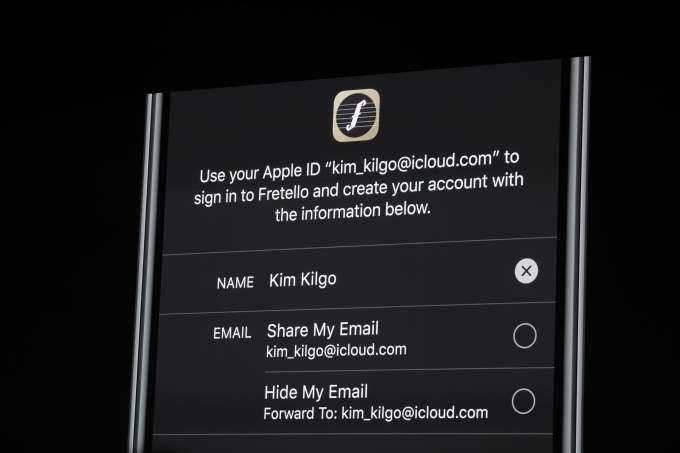
If customers decide not to share their real email, Apple will generate a random — but real and verified — email address for the app in question to use, then will route the emails the app wants to send to that address. The user can choose to disable this app email address at any time like — like if they begin to get spam, for example.

The ability to create disposable emails is not new — you can add pluses (+) or dots (.) in your Gmail address, for example, to set up filters to delete emails from addresses that become compromised. Other email providers offer similar features.

However, this is the first time a major technology company has allowed customers to not only create these private email addresses for sign-ins to apps  — but to also disable those addresses at any time if they want to stop receiving emails to them.

Despite the advantages to the system, the news left many wondering how the new Sign In with Apple button would work, in practice, at a more detailed level. We’ve tried to answer some of the more burning questions to common questions. There are likely many more questions that won’t be answered until the system goes live for developers and Apple updates its App Review Guidelines, which are its hard-and-faste rules for apps that decide entry into the App Store.
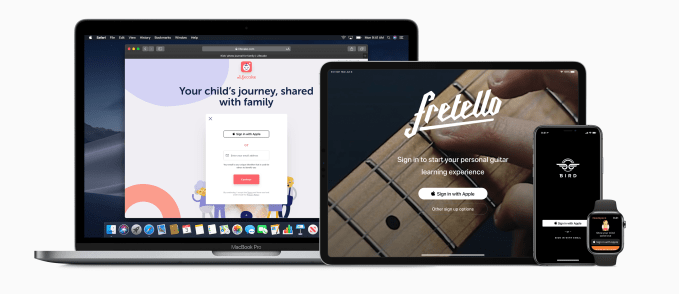
1) What information does the app developer receive when a user chooses Sign In with Apple?

The developer only receives the user’s name associated with their Apple ID, the user’s verified email address — or the random email address that routes email to their inbox, while protecting their privacy — and a unique stable identifier that allows them to set up the user’s account in their system.

Unlike Facebook, which has a treasure trove of personal information to share with apps, there are no other permissions settings or dialog boxes with Apple’s sign in that will confront the user with having to choose what information the app can get access to. (Apple would have nothing more to share, anyway, as it doesn’t collect user data like birthday, hometown, Facebook Likes or a friend list, among other things.)

2) Do I have to sign up again with the app when I get a new iPhone or switch over to use the app on my iPad?

No. For the end user, the Sign In with Apple option is as fast as using the Facebook or Google alternative. It’s just a tap to get into the app, even when moving between Apple devices.

3) Does Sign In with Apple work on my Apple Watch? Apple TV? Mac? 

Sign In with Apple works across all Apple devices — iOS/iPadOS devices (iPhone, iPad and iPod touch), Mac, Apple TV, and Apple Watch.

4) But what about Android? What about web apps? I use my apps everywhere!

There’s a solution, but it’s not quite as seamless.

If a user signs up for an app on their Apple device — like, say, their iPad — then wants to use the app on a non-Apple device, like their Android phone, they’re sent over to a web view.

Here, they’ll see a Sign In with Apple login screen where they’ll enter their Apple ID and password to complete the sign in. This would also be the case for web apps that need to offer the Sign In with Apple login option.

This option is called Sign In with Apple JS as it’s Javascript-based.

(Apple does not offer a native SDK for Android developers, and honestly, it’s not likely to do so any time soon.)

5) What happens if you tap Sign In with Apple, but you forgot you already signed up for that app with your email address?

Sign In with Apple integrates with iCloud Keychain so if you already have an account with the app, the app will alert you to this and ask if you want to log in with your existing email instead. The app will check for this by domain (e.g. Uber), not by trying to match the email address associated with your Apple ID — which could be different from the email used to sign up for the account.

6) If I let Apple make up a random email address for me, does Apple now have the ability to read my email?

No. For those who want a randomized email address, Apple offers a private email relay service. That means it’s only routing emails to your personal inbox. It’s not hosting them.

Developers must register with Apple which email domains they’ll use to contact their customers and can only register up to 10 domains and communication emails.

7) How does Sign In with Apple offer two-factor authentication?

On Apple devices, users authenticate with either Touch ID or Face ID for a second layer of protection beyond the username/password combination.

On non-Apple devices, Apple sends a 6-digit code to a trusted device or phone number.

8) How does Sign In with Apple prove I’m not a bot?

App developers get access to Apple’s robust anti-fraud technology to identify which users are real and which may not be real. This is tech it has built up over the years for its own services, like iTunes.

The system uses on-device machine learning and other information to generate a signal for developers when a user is verified as being “real.” This is a simple bit that’s either set to yes or no, so to speak.

But a “no” doesn’t mean the user is a definitely a bot — they could just be a new user on a new device. However, the developer can take this signal into consideration when providing access to features in their apps or when running their own additional anti-fraud detection measures, for example.
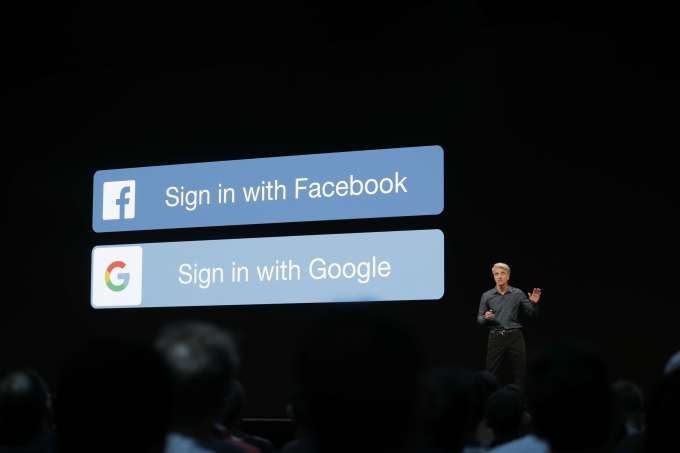
9) When does an app have to offer Sign In with Apple?

Apple is requiring that its button is offered whenever another third-party sign-in option is offered, like Facebook’s login or Google. Note that Apple is not saying “social” login though. It’s saying “third-party” which is more encompassing.

This requirement is what’s shocking people as it seems heavy-handed.

But Apple believes customers deserve a private choice which is why it’s making its sign-in required when other third-party options are provided.

But developers don’t have to use Sign In with Apple. They can opt to just use their own direct login instead. (Or they can offer a direct login and Sign In with Apple, if they want.)

10) Do the apps only have to offer Sign In with Apple if they offer Google and/or Facebook login options, or does a Twitter, Instagram or Snapchat sign in button count, too?

Apple hasn’t specified this is only for apps with Facebook or Google logins, or even “social” logins. Just any third party sign-in system. Although Facebook and Google are obviously the biggest providers of third-party sign-in services to apps, other companies including Twitter, Instagram and Snapchat have been developing their own sign-in options, as well.

As third-party providers, they too would fall under this new developer requirement.
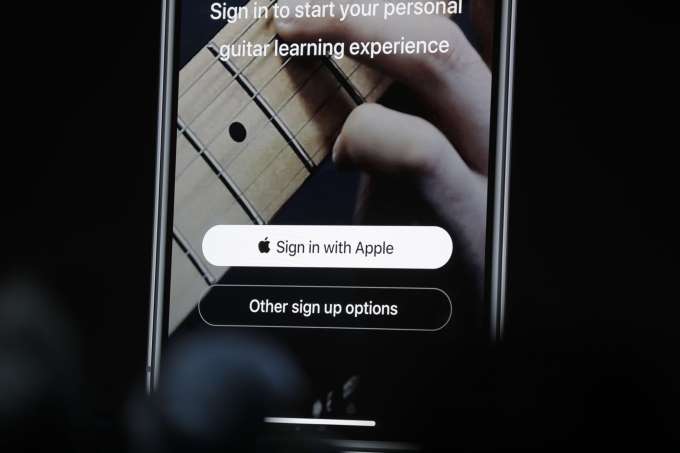
11) Does the app have to put the Sign In with Apple button on top of the other options or else get rejected from the App Store?

Apple is suggesting its button is prominent.

The company so far has only provided design guidelines to app developers. The App Store guidelines which dictate the rules around App Store rejections won’t be updated until this Fall.

And it’s the design guidelines that say the Apple button should be on the top of a stack of other third-party sign-in buttons, as recently reported.

The design guidelines also say that the button must be the same size or larger than competitors’ buttons, and users shouldn’t have to scroll to see the Apple button.

But to be clear, these are Apple’s suggested design patterns, not requirements. The company doesn’t make its design suggestions a law because it knows that developers do need a degree of flexibility when it comes to their own apps and how to provide their own users with the best experience.

12) If the app only has users signing up with their phone number or just their email, does it also have to offer the Apple button?

Not at this time, but developers can add the option if they want.

13) After you sign in using Apple, will the app still make you confirm your email address by clicking a link they send you?

Nope. Apple is verifying you, so you don’t have to do that anymore.

14) What if the app developer needs you to sign in with Google, because they’re providing some sort of app that works with Google’s services, like Google Drive or Docs, for example? 

This user experience would not be great. If you signed in with Apple’s login, you’d then have to do a second authentication with Google once in the app.

It’s unclear at this time how Apple will handle these situations, as the company hasn’t offered any sort of exception list to its requirement, nor any way for app developers to request exceptions. The company didn’t give us an answer when we asked directly.

It may be one of those cases where this is handled privately with specific developers, without announcing anything publicly. Or it may not make any exceptions at all, ever. And if regulators took issue with Apple’s requirement, things could change as well. Time will tell.

17) What if I currently sign in with Facebook, but want to switch to Sign In with Apple?

Apple isn’t providing a direct way for customers to switch for themselves from Facebook or another sign-in option to Apple ID. It instead leaves migration up to developers. The company’s stance is that developers can and should always offer a way for users to stop using their social login, if they choose.

In the past, developers could offer users a way to sign in only with their email instead of the third-party login. This is helpful particularly in those cases where users are deleting their Facebook accounts, for example, or removing apps’ ability to access their Facebook information.

Once Apple ID launches, developers will be able to offer customers a way to switch from a third-party login to Sign In with Apple ID in a similar way.

Do you have more questions you wish Apple would answer? Email me at sarahp@techcrunch.com



from Apple – TechCrunch https://tcrn.ch/2HZPsxX